




Published August 31, 2026
by mapcon
• Updated August 31, 2026
What’s the Easiest CMMS to Set Up? A Frontline-First Approach
Quick Implementation and Minimal Complexity
 What's the easiest CMMS to set up? It's a question many maintenance leaders ask when facing tight timelines, heavy workloads, and limited training resources.
The answer rarely lives in admin control panels or complex feature lists. The simplest systems to deploy succeed because technicians adopt them quickly and use them without friction.
Simplify your facility's daily operations and streamline onboarding with our user-friendly CMMS software platform.
Speed matters during CMMS implementation. Teams often juggle ongoing preventive maintenance tasks while trying to roll out a new platform, so added complexity creates immediate bottlenecks. The easiest CMMS platforms reduce setup steps and eliminate unnecessary configuration layers.
A system with clear defaults, guided onboarding, and pre-built templates allows teams to launch in days instead of months. Instead of spending weeks designing custom workflows from scratch, maintenance managers can load assets, assign users, and begin tracking work almost immediately.
Minimal complexity also reduces user resistance. When staff aren't overwhelmed by clunky menus, they engage earlier. That early engagement shortens training time and builds organizational momentum from day one.
Centralizing work orders, asset histories, and maintenance schedules in one accessible system eliminates reliance on scattered spreadsheets or paper logs—improving visibility and team accountability right out of the gate.
The "Frontline-First" Metric: Choosing a System Your Techs Will Actually Use
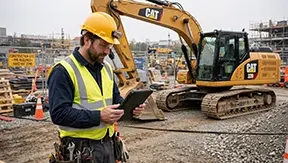 The easiest CMMS to set up isn't the one with the cleanest admin dashboard; it's the one technicians pick up within minutes. If the frontline team understands the system right away, implementation accelerates because training requirements shrink.
A "frontline-first" CMMS focuses on simplicity where it matters most: daily field use. Technicians don't want to navigate multi-nested menus or interpret confusing forms. They want clear tasks, fast status updates, and minimal typing.
According to operational research from the Plant Engineering Maintenance Report, lack of user training and complex interfaces account for nearly 30% of failed software rollouts in industrial facilities.
When a system aligns with how technicians already conduct their rounds, adoption happens naturally. That cuts down on repeat training sessions and reduces data errors during early deployment.
Accelerate your maintenance results
Pick the next step that fits you best: start your free trial or see MAPCON live with our team.
What Makes a CMMS Intuitive?
Several core design elements shape how easy a CMMS feels in practice:
- Mobile-First Interface: Responsive layout optimized for phones and rugged tablets.
- Tap-to-Complete Actions: One-touch status changes that minimize manual typing.
- Simple Photo Attachments: Quick camera integration for documenting work and defects.
- Prioritized Task Lists: Clear, visual queues showing urgent jobs first.
- QR & Barcode Scanning: Instant asset identification via device camera.
Removing operational friction enables technicians to spend less time fighting software and more time fixing equipment. Real-time data capture improves reporting, supports compliance audits, and helps managers track team performance without chasing down paperwork.
Industry Examples: Seeing Real-World Usability in Action
1. Commercial Property Management
Consider a facilities maintenance team responsible for multiple office buildings across Cincinnati. Technicians move between properties throughout the day, executing HVAC checks, lighting repairs, and urgent tenant requests.
Without a mobile-friendly CMMS, technicians often wait until returning to a central office at the end of the day to log their work. That delay leads to missed details, incomplete records, and inaccurate timestamps.
Read more about optimizing daily task workflows in our article on how CMMS creates work orders.
With a frontline-first system, each technician carries a mobile device. At each job site, they scan a room label, view assigned tasks, and update work orders immediately. After replacing an air filter, they attach a photo and mark the job complete before heading to the next floor.
This mobile workflow eliminates redundant paperwork and ensures accurate asset records. Property managers gain instant visibility into completed work, while technicians avoid double-entry.
2. Manufacturing Maintenance
In a mid-sized manufacturing plant, maintenance technicians handle machine repairs and routine equipment inspections across multiple fast-moving production lines.
A complicated CMMS might force technicians to log into a stationary desktop terminal after completing each job—interrupting physical workflow and discouraging timely updates.
With a mobile-first CMMS, technicians receive work orders directly on their devices on the plant floor. They can check off inspection steps, record spare parts used from inventory, and close tasks on the spot.
This keeps production lines moving while ensuring maintenance histories stay complete. It also tracks recurring equipment issues, supporting better resource allocation and long-term capital planning.
Why Technician Adoption Drives Setup Speed
Training That Takes Minutes, Not Weeks
Traditional enterprise software rollouts stall when training drags on. Complex systems require multi-day classroom sessions, thick instruction manuals, and ongoing administrative support.
In contrast, an intuitive CMMS allows technicians to learn by doing. A brief 15-minute walkthrough or interactive demo is usually enough. Many technicians complete their first digital work order without formal instruction because the UI mirrors familiar consumer apps.
This rapid learning curve accelerates time-to-value, allowing clean maintenance data to flow into management reports immediately.
Reduced Errors During Early Use
Complex forms lead to user mistakes during initial rollout—missing required fields, incorrect entries, and inconsistent logs that clutter the database.
Learn how our mobile maintenance software solutions eliminate paperwork and ensure clean data collection.
A streamlined CMMS guides technicians through logical, step-by-step inputs. Fewer required fields and straightforward prompts ensure data accuracy right from day one.
Maintenance software that delivers real value
MAPCON helps maintenance teams stay ahead of work orders, support better decisions, and reduce downtime.
Simplicity in Setup: What Features to Look For
When evaluating software for rapid deployment, look for these setup-friendly features:
| Feature | Why It Accelerates Setup | Impact on Team |
|---|---|---|
| Guided Onboarding | Pre-built templates for assets and PM schedules | Eliminates guesswork during system configuration |
| Minimal Required Fields | Allows teams to launch with core data first | Prevents initial rollout delays |
| Cloud-Based Access | Web-browser and mobile app availability | Eliminates server setup and IT overhead |
| Bulk Data Importers | Fast CSV/Excel asset list uploads | Transitions legacy records in hours |
Balancing Simplicity and Advanced Capability
Some organizations worry that choosing the easiest CMMS to set up means sacrificing long-term capability. However, ease of use does not require sacrificing functional depth.
The best systems balance an intuitive frontline user experience with robust back-end capabilities. They provide simple interfaces for technicians executing daily tasks, while offering managers powerful tools for inventory tracking, purchasing, and failure analysis.
This balance ensures the software scales alongside your organization without overwhelming frontline staff during initial deployment.
Common Pitfalls to Avoid During Implementation
Even when deploying a user-friendly platform, certain missteps can slow down your momentum:
- Overloading Data at Launch: Trying to input 10 years of historical data before going live rather than starting fresh.
- Waiting for "Perfection": Delaying rollout while fine-tuning non-essential custom fields.
- Ignoring Tech Feedback: Selecting a platform based purely on executive dashboard aesthetics without testing field usability.
- Skipping Mobile Workflows: Forcing field staff to rely on desktop computers or paper printouts.
The Real Answer to Easy CMMS Setup
The easiest CMMS to set up doesn't win because of endless backend settings. It succeeds because technicians use it without hesitation.
When your frontline team adopts the software quickly and logs work without friction, implementation follows naturally—delivering clearer visibility, better asset reliability, and faster return on investment across your entire facility.
FAQs
What is the easiest CMMS to set up for a small maintenance team?
The easiest CMMS uses a mobile-first design with simple workflows so teams can start quickly without extensive training.
How long does it take to implement a CMMS?
Many modern systems can go live in a few days when they offer guided onboarding and minimal setup requirements.
What features make a maintenance system easy to use?
Features like mobile access, tap-to-complete work orders, and quick photo uploads reduce friction for technicians.
Why does technician adoption matter during setup?
When technicians use the system consistently, data flows faster and implementation moves forward without delays.
Can a simple CMMS still handle complex operations?
Yes, systems like MAPCON CMMS offer straightforward interfaces while still supporting detailed asset tracking and reporting.
Do mobile CMMS apps improve maintenance efficiency?
Mobile apps allow technicians to update work orders in real time, which improves accuracy and reduces paperwork.
MAPCON | 800-922-4336
Try Our CMMS Software Today!
MAPCON CMMS software empowers you to plan and execute PM tasks flawlessly, thanks to its wealth of features and customizable options. Want to see it for yourself? Click the button below to get your FREE 30-day trial of MAPCON!