



Published September 30, 2026
by mapcon
• Updated September 30, 2026
Cloud-Based CMMS Security Guide for Multi-Site Operations
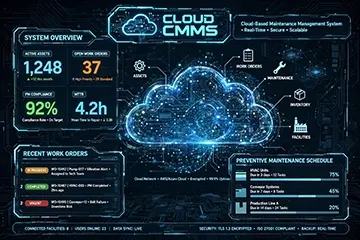 Evaluating cloud-based CMMS security requires looking beyond basic platform safeguards to examine how effectively the system controls access across departments. It also matters how well the system limits what each site, team, and user can see. In multi-site environments, a CMMS can protect maintenance work while also acting as a privacy boundary across corporate, plant, and field users.
Cloud CMMS and the Privacy Boundary
A cloud CMMS often holds more than work orders. It can contain asset histories, incident notes, vendor records, spare parts data, labor details, and compliance files. For companies with multiple locations, the security challenge includes accidental overexposure, where one site sees information that should stay local.
This matters in retail chains, logistics networks, and distributed manufacturing groups. A regional distribution company may want every depot to use the same maintenance platform, but each depot should only view its own downtime logs, vendor pricing, and local inspection notes. Cloud CMMS software helps by centralizing records while letting administrators set role-based access and site-level permissions.
How Security Usually Works
Most secure cloud CMMS platforms rely on encryption, access controls, audit trails, and vendor-side protections. Encryption protects data in transit and at rest, while identity and access management limits who can open, edit, or export records. Audit logs then show who touched which record and when, which supports accountability and investigations.
That design matters because maintenance data often crosses departments. A plant manager may need uptime history, while a finance team may only need cost summaries. Implementing strong cloud-based CMMS security protocols reduces the chance that one team exposes another team's sensitive records, supporting both privacy and operational order.
Data Protection Concerns
The main privacy concern involves data sharing inside the same organization. Cloud access can make collaboration easier, but it can also make sensitive records visible beyond the intended audience if permissions stay too broad. That risk grows in multi-site operations where local users, regional managers, contractors, and corporate staff all work in one system.
A national cold-storage operator offers a useful example. Every warehouse may need the same CMMS to log refrigeration repairs, sanitation tasks, and inspections, but not every site should view incident investigations, security notes, or site-specific vendor contracts. Cloud CMMS software helps when administrators separate those records by role, site, and department, rather than giving everyone a shared folder and hoping for the best.
What Buyers Should Ask
Security reviews should go beyond "Do you encrypt data?" Ask how the vendor manages permissions, backups, breach response, data residency, and third-party audits. Also ask whether the system supports least-privilege access, since that principle gives users only the access they need for their jobs.
For regulated or sensitive operations, ask where data lives and whether the vendor can support regional storage requirements. You should also check for independent security reviews such as SOC 2 and ISO 27001, because those standards signal a structured approach to information security.
Accelerate your maintenance results
Pick the next step that fits you best: start your free trial or see MAPCON live with our team.
Benefits Without Sacrificing Privacy
 A secure cloud CMMS can still deliver strong day-to-day benefits. Teams gain faster access to work orders, more consistent recordkeeping, and easier coordination between maintenance, operations, and leadership. In a multi-site setting, that shared visibility helps managers compare maintenance activity without forcing every user to see every detail.
Consider a food and beverage manufacturer with plants in three states. Corporate maintenance leaders may want a unified view of open work, recurring breakdowns, and compliance tasks. Local supervisors still need speed on the floor, and a well-configured CMMS gives them that access without exposing corporate budgeting notes or other sites' sensitive maintenance records.
Security Practices That Matter
The safest deployments usually combine technical controls with administrative discipline. Strong passwords alone do not carry the load; companies should use single sign-on, multi-factor authentication, regular permission reviews, and clear rules for contractors and temporarys.
Good vendors also back up data across more than one location and publish incident response expectations. That matters because maintenance records support business continuity, regulatory evidence, and repair history. If a site loses local systems, the CMMS should help teams recover information quickly while keeping access controlled.
Cloud CMMS security depends on more than where the data sits. It depends on how carefully the platform controls visibility across sites, roles, and departments, and how seriously the vendor treats encryption, audits, and access governance. For multi-site companies, that mix can support both maintenance performance and privacy discipline.
The next conversation about cloud CMMS should not center only on fear or feature lists. The better question asks how much trust you want each team to hold, and where you want the software to draw the line. When a CMMS defines those boundaries well, it supports faster maintenance work without turning every record into shared territory.
FAQs
What makes cloud-based CMMS software secure?
A secure CMMS usually combines encryption, role-based access, multi-factor authentication, and audit logs. These controls help keep maintenance data visible only to authorized users.
How does a CMMS protect data across multiple sites?
A CMMS can separate site-level records so users only see their own location’s work orders, assets, and notes. That helps reduce accidental exposure across corporate and field teams.
Can MAPCON CMMS support user access controls?
Yes, MAPCON CMMS can support access control features that limit what different users can view or change. That helps teams protect sensitive maintenance data while keeping daily work moving.
Is cloud CMMS safe for regulated industries?
It can be, if the vendor supports strong security practices and your team manages permissions carefully. Many regulated organizations also look for audit trails, encryption, and authentication controls.
What should I ask a CMMS vendor about privacy?
Ask how the system handles permissions, data storage, backups, and audit logs. You should also ask whether the vendor supports SSO, MFA, and data residency requirements.
Why do maintenance teams use cloud CMMS software?
It gives teams shared access to work orders, asset records, and scheduling tools from different locations. That helps maintenance managers keep oversight without forcing every user to see every record.
MAPCON | 800-922-4336
Try Our CMMS Software Today!
MAPCON CMMS software empowers you to plan and execute PM tasks flawlessly, thanks to its wealth of features and customizable options. Want to see it for yourself? Click the button below to get your FREE 30-day trial of MAPCON!