




Published September 28, 2026
by mapcon
• Updated September 28, 2026
What’s the Learning Curve for Different CMMS Platforms? A Role-Based Perspective
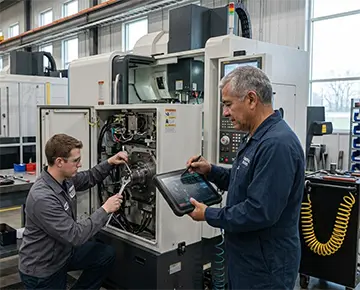 When teams ask, “What’s the Learning Curve for Different CMMS Platforms?” the answer rarely fits into a single sentence. The experience changes depending on who uses the system, how often they log in, and what tasks they complete. A technician, a maintenance manager, and an administrator all approach a CMMS from different angles. Understanding those differences helps organizations improve adoption and get real value faster.
The Learning Curve Depends on the Job Role
A CMMS does not present one unified experience across an organization. Each role interacts with a different layer of the system, which shapes how quickly users gain confidence.
Technicians often need quick access to work orders, asset history, and checklists. Their learning curve depends on how intuitive the mobile interface feels and how quickly they can log updates. If the system requires multiple steps to complete a simple task, frustration builds early.
Maintenance managers, on the other hand, work with scheduling tool, backlog tracking, and performance reporting. Their learning curve involves understanding workflows, configuring dashboards, and interpreting data. This takes longer but delivers deeper operational insights.
Plant administrators or system owners face the steepest learning curve. They manage user permissions, asset hierarchies, and system settings. Their role demands a broader understanding of the platform, which increases training time but also unlocks long-term control over operations.
This role-based divide explains why a single CMMS rollout can feel smooth for one group and difficult for another.
User Experience Shapes Adoption Speed
The design of a CMMS plays a major role in how quickly users adopt it. A clean interface with clear navigation reduces hesitation and shortens training time. Systems that rely on cluttered menus or technical jargon tend to slow adoption, especially for frontline staff.
Mobile usability matters just as much. Technicians often work in fast-paced environments where they cannot spend minutes navigating screens. A system that allows them to open, update, and close a work order within seconds increases daily usage.
Adoption speed also improves when the platform mirrors real-world workflows. For example, if a technician already follows a checklist during equipment inspections, a CMMS that presents digital checklists in the same sequence feels familiar. That familiarity lowers resistance.
In contrast, systems that force users to change their habits too drastically often face pushback, even if they offer strong features.
Maintenance software that delivers real value
MAPCON helps maintenance teams stay ahead of work orders, support better decisions, and reduce downtime.
Industry Example: Healthcare Facilities
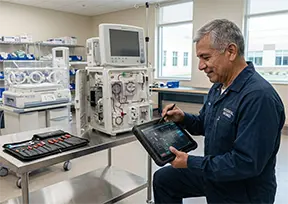 In a hospital setting, different roles interact with the CMMS in very specific ways.
Biomedical technicians focus on equipment uptime. They need immediate access to maintenance histories, compliance records, and service logs. A steep learning curve can slow response times, which affects patient care. A system that provides fast search and clear asset records helps them get up to speed quickly.
Facilities coordinators operate at a broader level. They manage preventive maintenance schedules, vendor coordination, and regulatory reporting. Their learning curve includes understanding reporting tools and scheduling workflows. While this takes longer, it allows them to maintain compliance and keep operations organized.
When both roles learn the system at their own pace, the facility benefits from faster repairs, better documentation, and improved accountability.
Industry Example: Hospitality Operations
Hotels present another clear contrast in CMMS usage.
Engineering staff and maintenance technicians often rely on mobile devices to receive and update work orders. They need a simple interface that allows them to mark tasks complete, add notes, and move on. If the system feels complicated, they may delay updates or avoid using it altogether.
The chief engineer, however, looks at the bigger picture. They track recurring issues, review maintenance trends, and allocate labor resources. Their learning curve includes mastering dashboards and understanding how to interpret operational data.
A well-designed CMMS allows both groups to succeed without overwhelming either one. This balance improves communication between staff and management, which leads to faster issue resolution and better guest experiences.
Platform Complexity vs. Practical Use
Not all CMMS platforms present the same level of complexity. Some systems prioritize simplicity, while others offer extensive customization and advanced features.
Simpler platforms often reduce onboarding time. Users can learn basic functions within hours or days. This works well for teams that need immediate functionality without heavy configuration.
More complex systems may take weeks or even months to fully understand. However, they allow organizations to tailor workflows, asset structures, and reporting to fit specific needs. For administrators and managers, this deeper capability can justify the longer learning curve.
The key lies in matching the platform to the organization’s needs. A small facility with straightforward maintenance tasks may benefit from a simpler system. A large industrial plant with multiple departments may require a more detailed platform, even if training takes longer.
Training Methods Influence Learning Speed
Training plays a major role in how users experience a CMMS learning curve. Even the most intuitive system requires some level of guidance.
Hands-on training sessions often produce the best results. When users interact with the system in real scenarios, they build confidence faster. For example, walking a technician through creating and completing a work order provides immediate clarity.
Short, role-specific training modules also help. Instead of overwhelming users with every feature, training should focus on what each role needs. A technician does not need to learn reporting tools on day one, and a manager does not need to focus on mobile navigation.
Ongoing support matters as well. Quick access to help resources, tutorials, or internal champions encourages users to keep learning instead of giving up when they encounter challenges.
Accelerate your maintenance results
Pick the next step that fits you best: start your free trial or see MAPCON live with our team.
Real-World Example: Manufacturing Plant
 In a mid-sized manufacturing plant, the maintenance team adopted a CMMS to improve equipment tracking.
Technicians learned the system within a week because they focused on work orders and asset lookups. The mobile interface allowed them to update tasks directly from the production floor, which reduced paperwork.
Supervisors required more time. They needed to understand scheduling, backlog management, and reporting features. After several weeks, they began using dashboards to identify recurring equipment issues and adjust maintenance plans.
The plant manager took even longer to fully adopt the system. Their role involved analyzing performance data and aligning maintenance activities with production goals. Once they gained confidence, they used the CMMS to support budgeting decisions and resource planning.
Each role followed a different learning path, yet all contributed to improved coordination and visibility across the facility.
Common Challenges Across Roles
Despite role differences, certain challenges appear across most CMMS implementations.
- Resistance to change from users who prefer familiar processes.
- Inconsistent data entry, which reduces the system’s usefulness.
- Overly complex configurations that confuse new users.
- Lack of clear training tailored to specific roles.
Addressing these challenges early helps shorten the learning curve and improve overall adoption.
Benefits of a Well-Adopted CMMS
When users across roles become comfortable with a CMMS, the benefits extend throughout the organization.
Teams gain better visibility into maintenance activities. Managers can track progress without constant check-ins. Technicians spend less time searching for information and more time completing tasks.
Communication improves as well. Work orders include detailed notes, updates, and histories that everyone can access. This reduces misunderstandings and helps teams stay aligned.
Consistency also increases. Standardized workflows ensure that tasks follow the same process every time, which supports quality and accountability.
These benefits do not appear overnight, but they grow as users become more confident with the system.
Choosing the Right CMMS for Your Team
Selecting a CMMS requires more than comparing features. Organizations should consider how each role will interact with the system and how quickly those users can learn it.
A platform with strong mobile functionality may suit technician-heavy teams. A system with advanced reporting may appeal to management-focused organizations. Ease of use should remain a top priority, especially for frontline staff who rely on the system daily.
It also helps to involve multiple roles in the selection process. Gathering input from technicians, managers, and administrators ensures that the final choice supports everyone’s needs.
A Smarter Approach to CMMS Adoption
The question “What’s the Learning Curve for Different CMMS Platforms?” leads to a deeper realization: success depends less on the software alone and more on how people interact with it. Each role brings its own expectations, challenges, and pace of learning. Organizations that recognize these differences can introduce CMMS platforms in a way that feels practical rather than overwhelming. When that happens, the system becomes part of daily work instead of an added burden, and teams begin to rely on it with confidence.
FAQs
How long does it take to learn a CMMS?
Most technicians can learn core CMMS functions like work orders and checklists within days, while managers and administrators may need several weeks to master scheduling, reporting, and system configuration. The exact timeline depends on the role and how complex the platform is.
Is CMMS software hard to learn for technicians?
Technicians usually adapt quickly if the CMMS has a simple mobile interface for updating work orders and checklists. MAPCON's mobile-friendly design helps technicians log updates in the field without a steep learning curve.
Why do different roles have different CMMS learning curves?
Each role uses a different part of the system, technicians focus on daily tasks, managers work with scheduling and reports, and administrators handle permissions and system setup. This means training time and complexity vary widely across a single organization.
What can organizations do to shorten the CMMS learning curve?
Role-specific training, hands-on practice, and ongoing support all help users build confidence faster. Focusing training on what each role actually needs, rather than every feature, speeds up adoption.
Does CMMS complexity affect how fast teams adopt it?
Yes, simpler platforms tend to have shorter onboarding times, while more customizable systems take longer to master but offer greater long-term flexibility. MAPCON offers configurable tools that let teams scale their learning as their needs grow.
Is MAPCON CMMS easy to use for new teams?
MAPCON is designed to support both quick adoption for frontline staff and deeper functionality for managers and administrators. This balance helps teams get started fast while still having room to grow into advanced features.
MAPCON | 800-922-4336
Try Our CMMS Software Today!
MAPCON CMMS software empowers you to plan and execute PM tasks flawlessly, thanks to its wealth of features and customizable options. Want to see it for yourself? Click the button below to get your FREE 30-day trial of MAPCON!